How to Pay via bKash
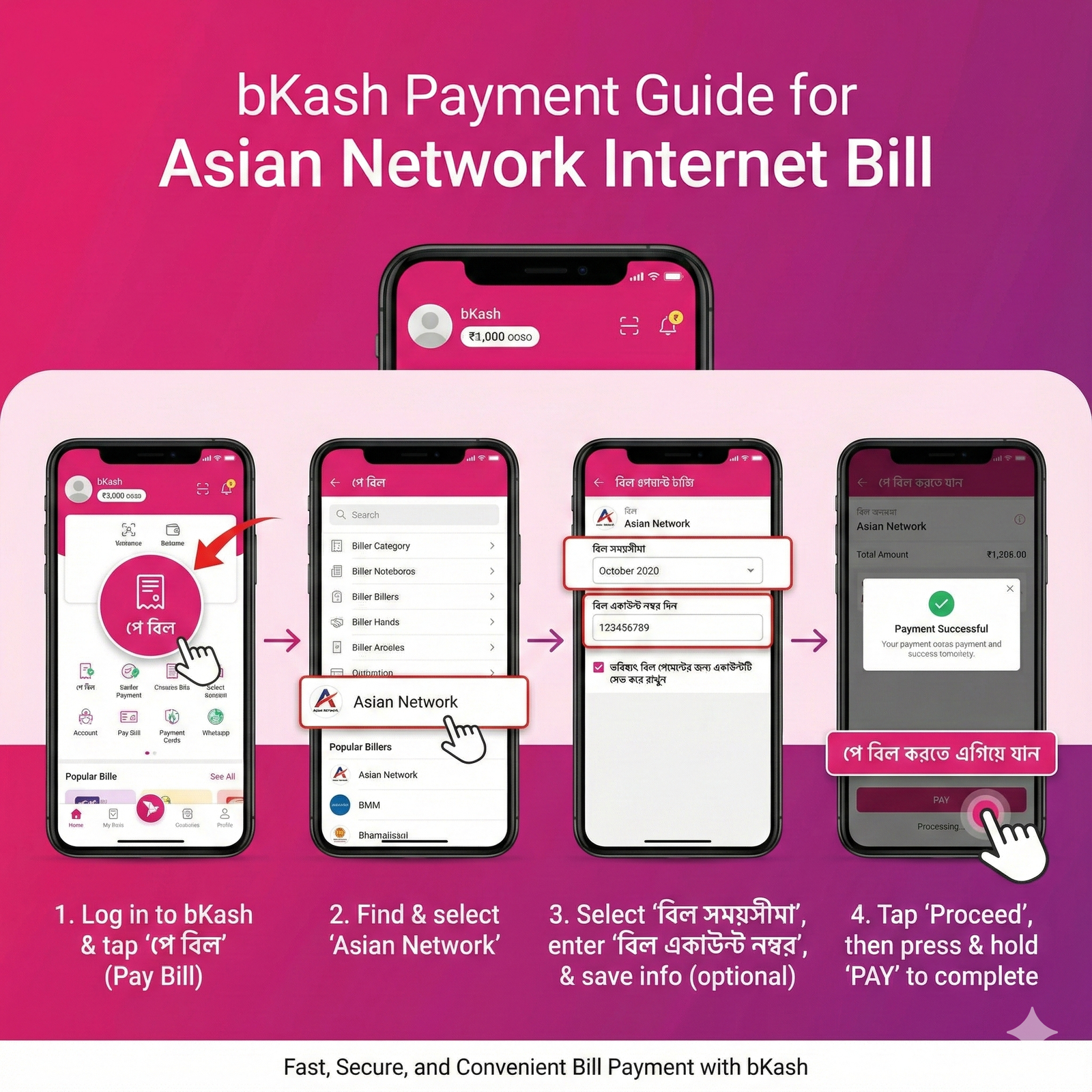
Login & Select Option
Login to your bKash app and tap on the "Pay Bill" (পে বিল) option.
Search Biller
Search for "Asian Network" in the organization list and tap on it.
Enter Details
Select timeline (e.g., Jan 2026) and input your Customer ID.
Confirm Payment
Enter amount, PIN, and Tap & Hold to confirm. You are done!
How to Pay via Nagad
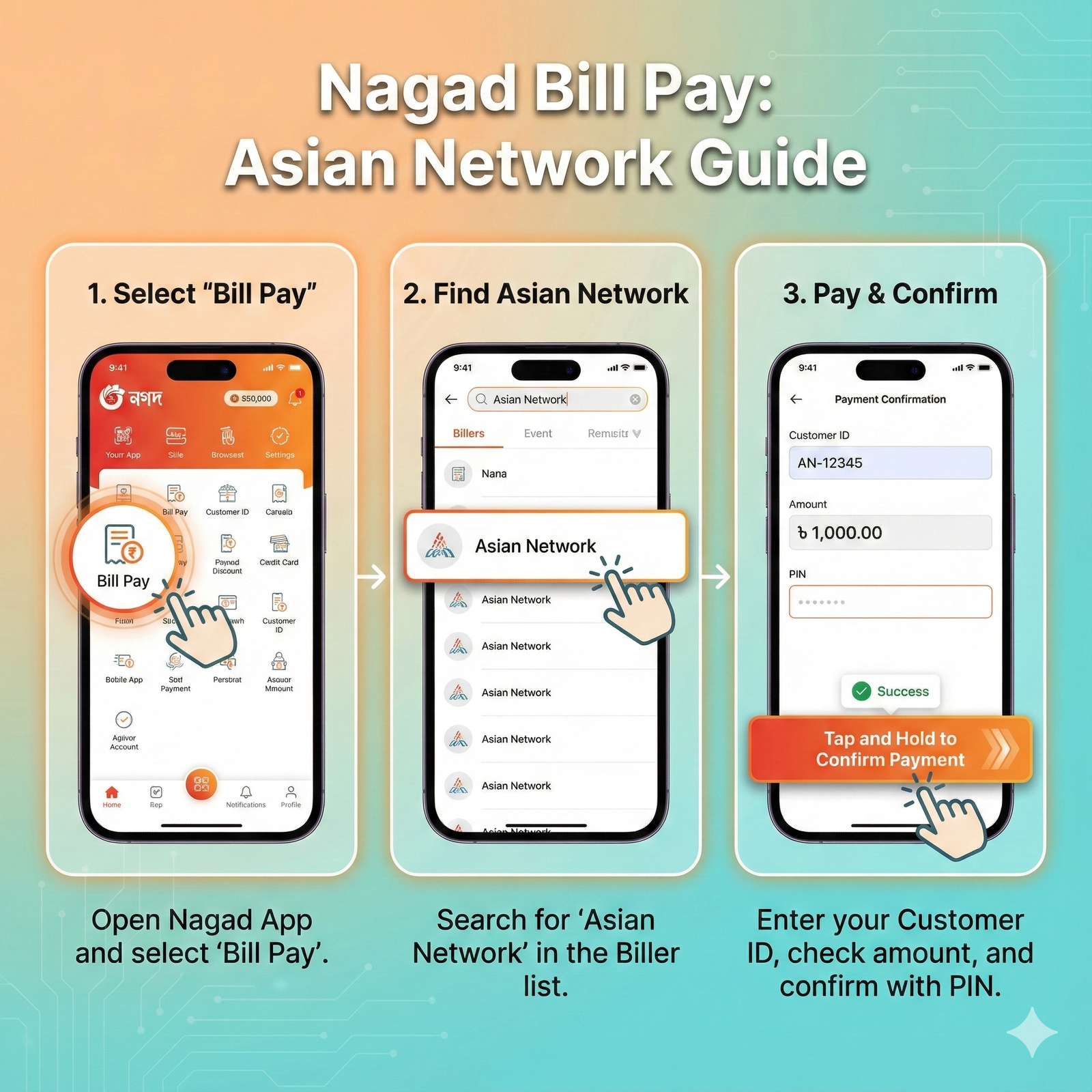
Select Bill Pay
Open Nagad App and select the "Bill Pay" icon from the home screen.
Find Asian Network
Type "Asian Network" in the search bar and select our official merchant account.
Pay & Confirm
Enter your Customer ID, Amount, and PIN to complete the transaction.
How to Pay via Rocket
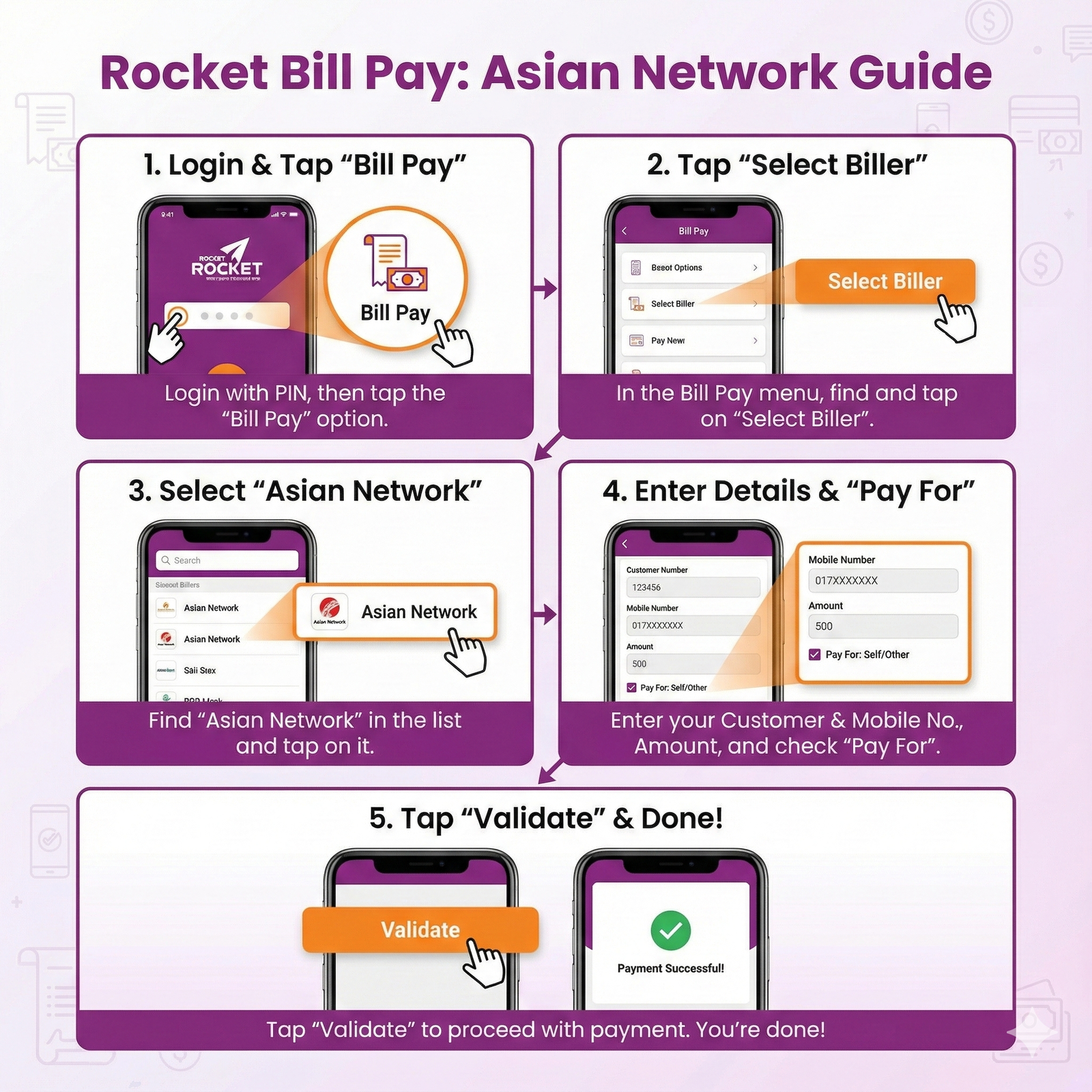
Select Bill Pay
Login to Rocket App and tap on "Bill Pay".
Biller ID
Search for "Asian Network" or enter Biller ID if applicable.
Complete Payment
Enter Bill Number (Customer ID), Amount, and PIN to validate.
Direct Bank Transfer
Please use the details below to deposit your bill.
Instant Payment via QR
Open your banking app, scan the code, and pay instantly.
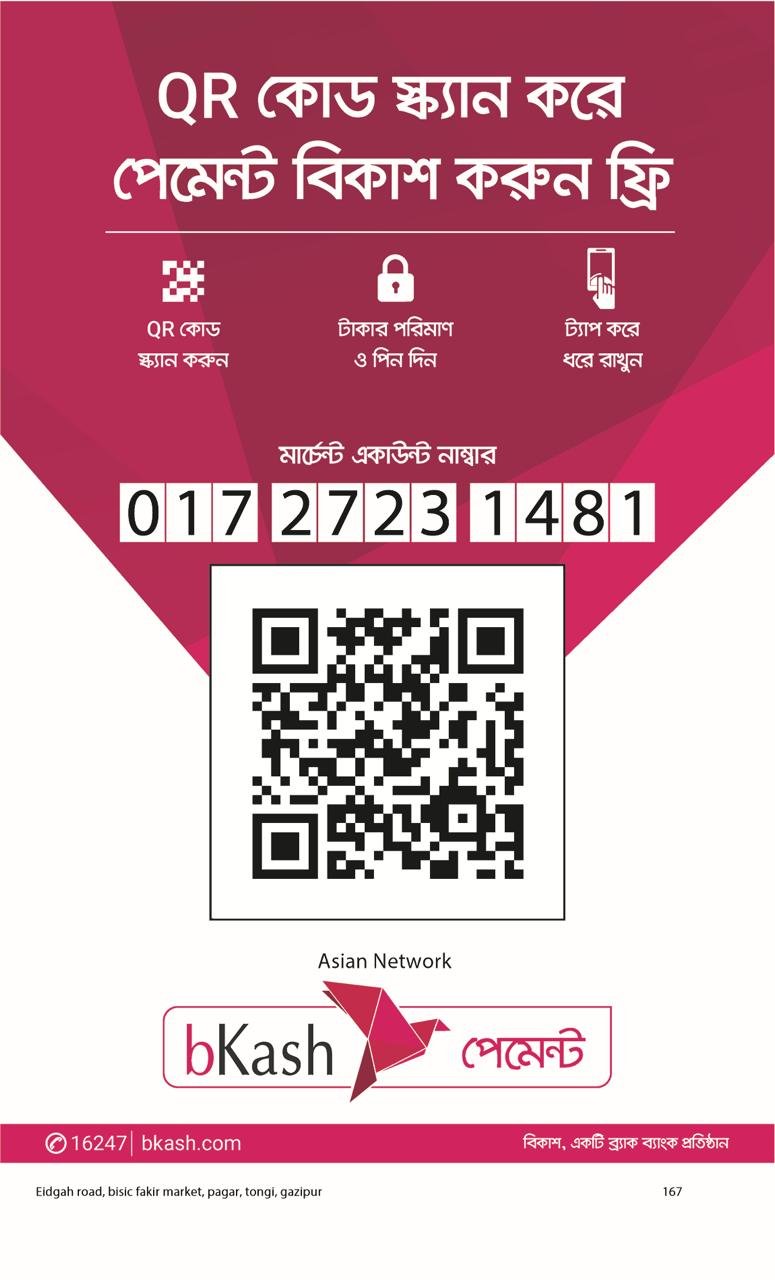
bKash
Scan with bKash App
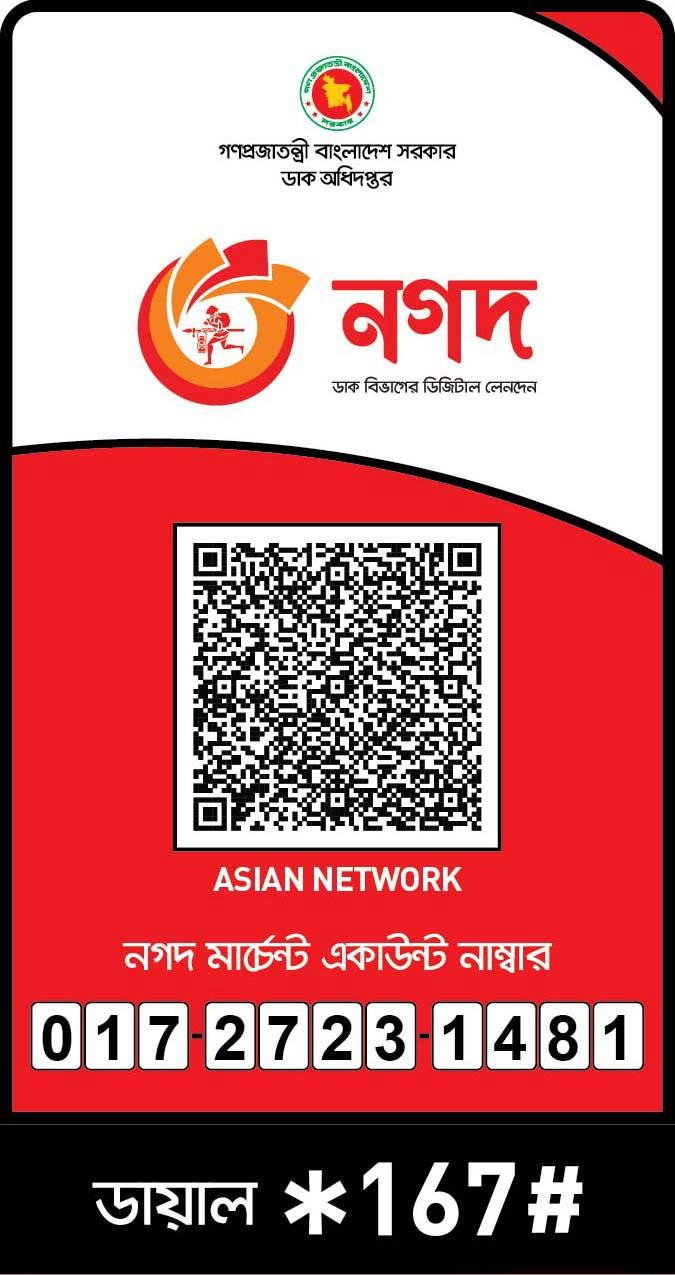
Nagad
Scan with Nagad App
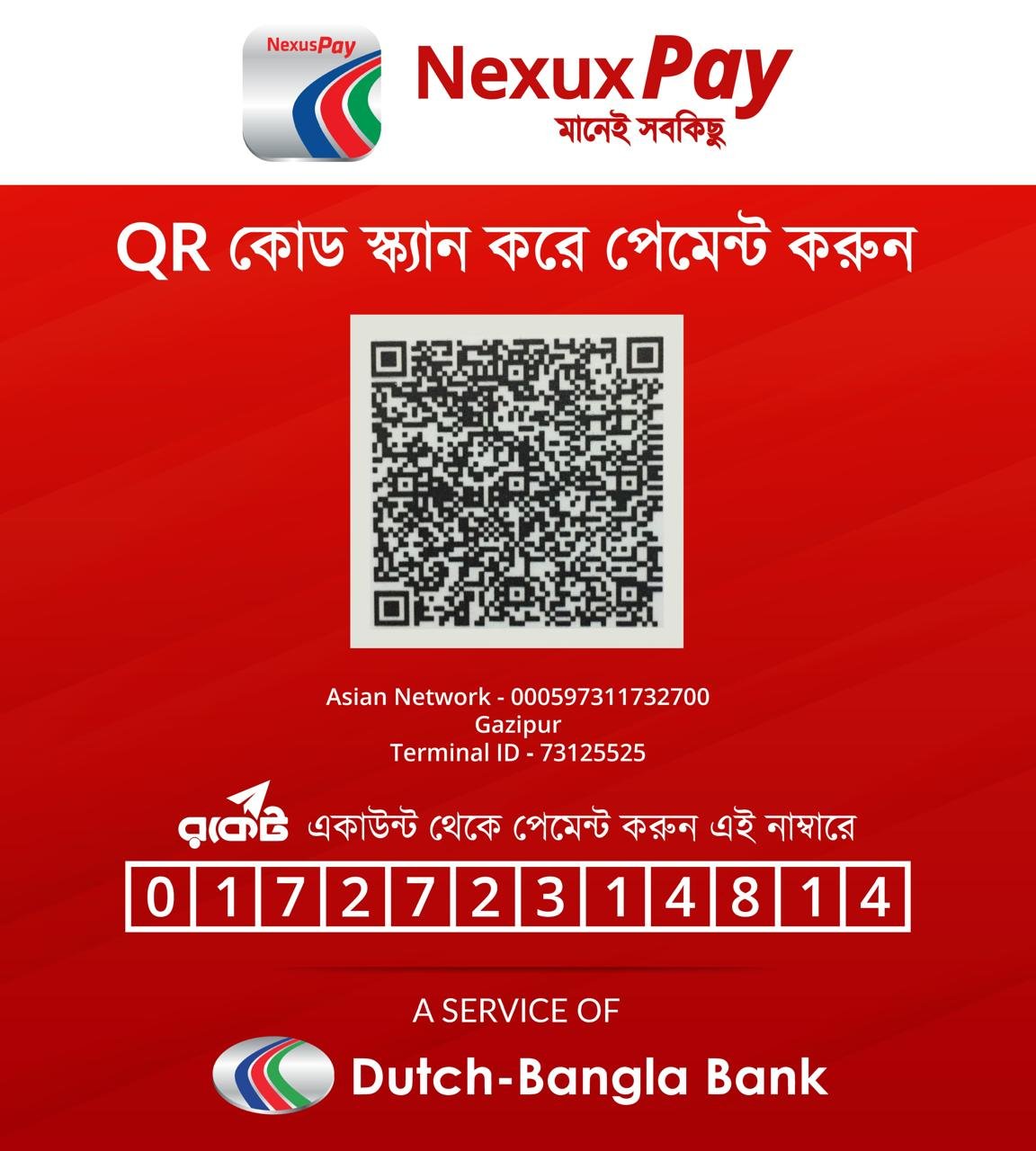
NexusPay
Scan with NexusPay App